Plant Overview, Diagrams, Dashboards, Alarms, and Downtime can all be reached from the top nav bar. Depending on the current user's permissions, some of these options may be hidden.
The nav bar changes depending on the size of the screen Prophecy is being viewed on:



On the smallest screens, the navigation options for the larger views move into the dropdown menu under the user icon:
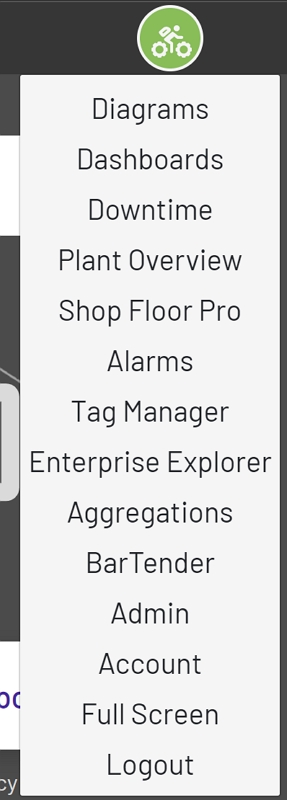
The Enterprise Explorer, Tag Manager, Account, and Logout options in that dropdown always appear, regardless of the screen size. Account takes the user back to the auth site to change account settings. The Admin option only appears to admin users. Full Screen appears to all users, and hides the top nav entirely when clicked (hitting ESC switches back out of full screen mode).