While Events offer a 'pull' method of retrieving aggregation data when needed, the Webhooks feature 'pushes' data out to listening services immediately after an aggregation fires. This provides a way for integrations to get that aggregation data in real time. Note that the 'listening' application will have to be custom-built by a developer. Contact the Prophecy Consulting Group for assistance with getting those custom integrations built.
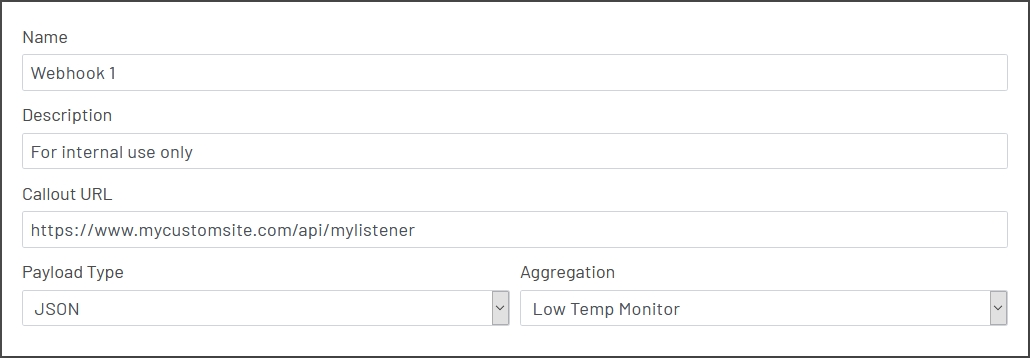
To set up a webhook, go to the main aggregations page and click on the 'Configure Webhooks' button at the upper left. Once the editor loads, just fill in the form fields:
- Name: For display purposes only.
- Description: Optional, for internal use only.
- Callout URL: This is the endpoint that the aggregation data will be sent to (as a POST) when the webhook fires.
- Aggregation: The name of the aggregation you want this webhook to fire for when an aggregation data row is written. Aggregations can have multiple webhooks configured, and they will all fire every time the aggregation fires.
- Callout value format: The format to use when POSTing the aggregation row data to the listening URL. Options are XML and JSON.
Note that the shape of the data POSTed by the webhook cannot be assumed ahead of time. It is generated dynamically based on the columns written in the aggregation data row, and those can change if the aggregation is edited. The listening endpoint will need to be able to parse the JSON/XML document dynamically.