SQL Connections allow Prophecy to connect to external databases to fetch data for Data Points and Dashboards.
SQL Connections can be complex to configure and require that the databases being connected to are accessible from Prophecy and configured for remote access. Contact the Prophecy Consulting Group for help setting those up if needed.
SQL Connections are managed on the admin page, by clicking the 'SQL Connections' tab on the left (or in the slideout nav on mobile devices). That page contains a grid of existing SQL Connections, with options to add a new one or edit or delete existing ones below the grid:
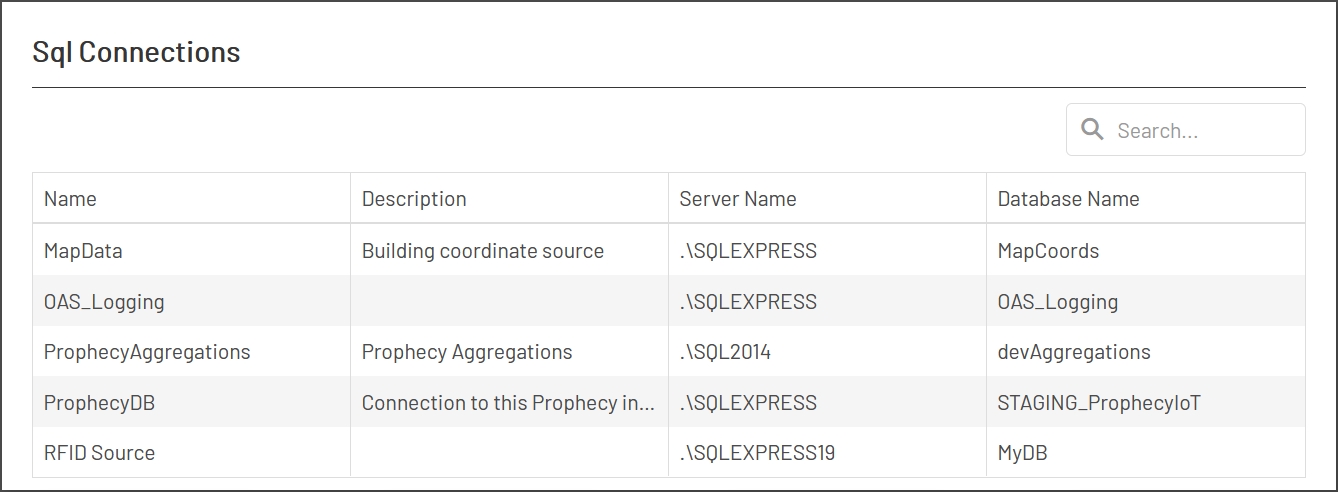
Each SQL Connection has these properties:
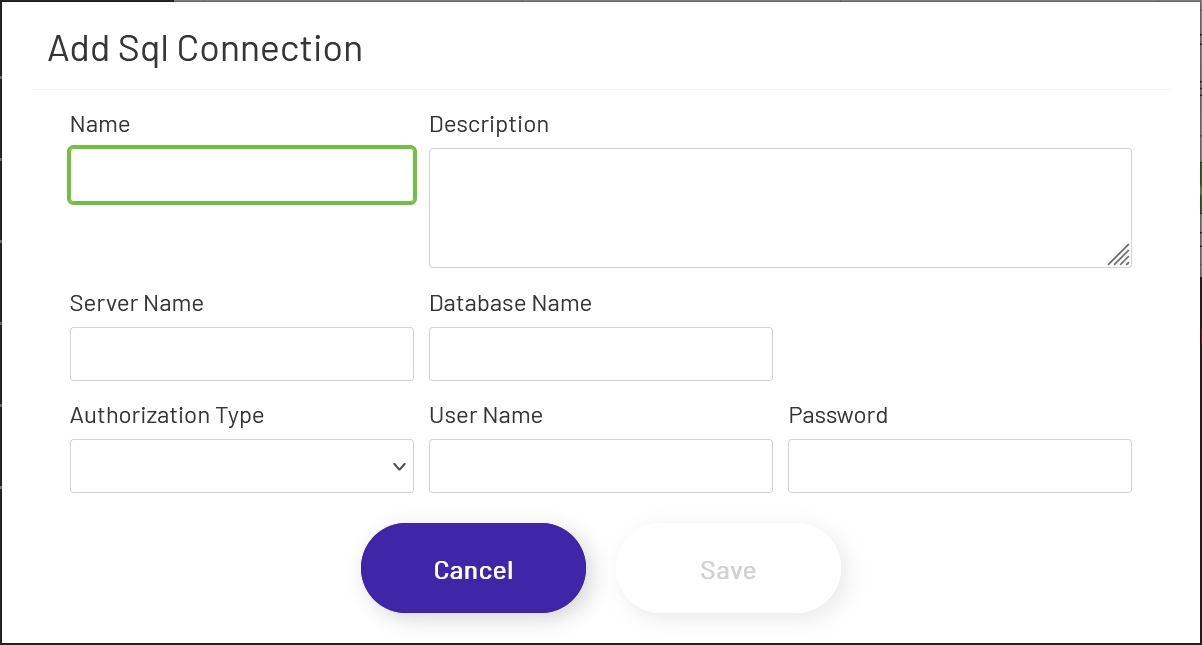
- Name: This is used for display within Prophecy, in this grid and when choosing the SQL connection Dashboards or Data Points will use.
- Description: This is option and is for internal use only, to help explain what the SQL Connection is for.
- Server Name: This is the address used to connect to the SQL server. This can be a domain name, an IP address, or something like '.\SERVERNAME' for SQL instances hosted on the same machine.
- Database Name: The name of the database you want to connect to on the SQL instance specified above.
- Authorization Type: Specifies whether the connection should use Windows or SQL Server authentication.
- User Name: The user name used to connect to the specified database.
- Password: The password used to connect to the specified database.
There is also a 'Test Connection' button below the SQL Connections grid. Clicking this button will test the address and credentials of the SQL Connection selected in the grid. Note that this does not verify that the database name is correct or that the user can actually query it - just that the address and credentials are valid.