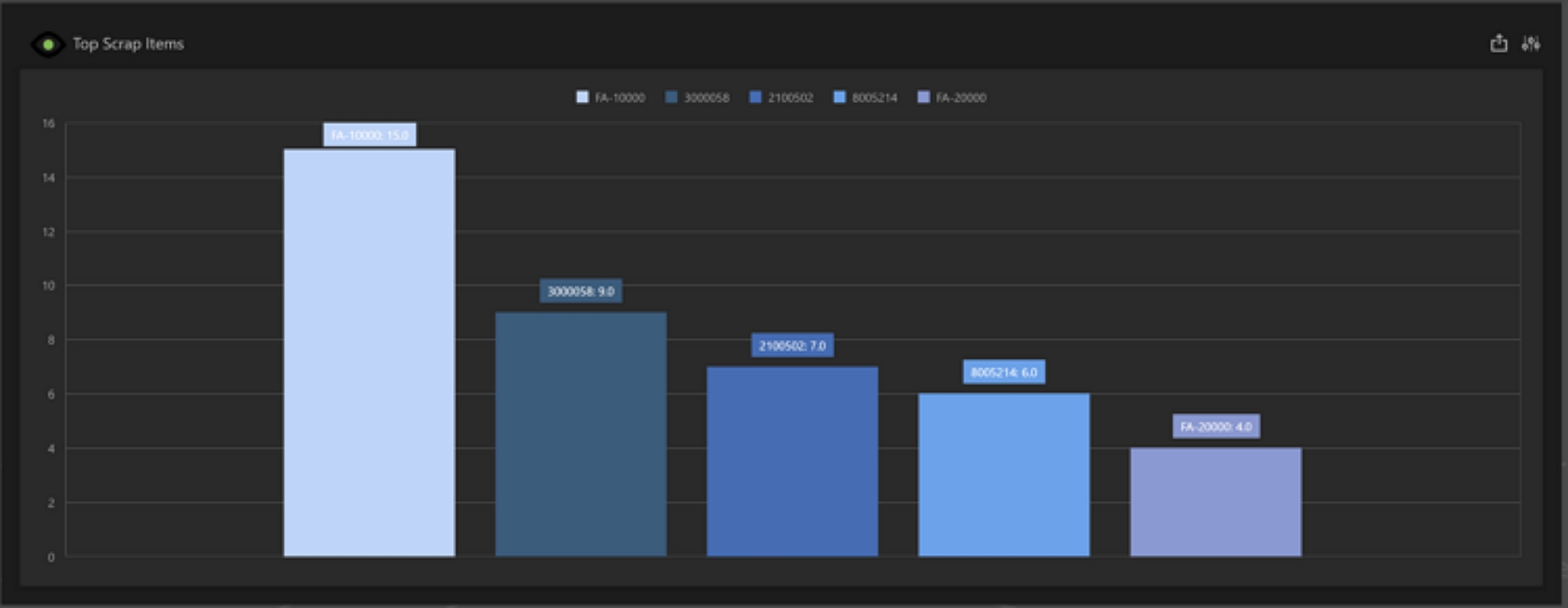
The Top Scrap Items dashboard displays a bar chart showing the top items contributing to scrap over a period. This dashboard defaults to a date range of 7 days and the top 5 contributing items. The default date range is the previous 6 days plus the current day. The time frame and item count can be adjusted by following the steps outlined here.
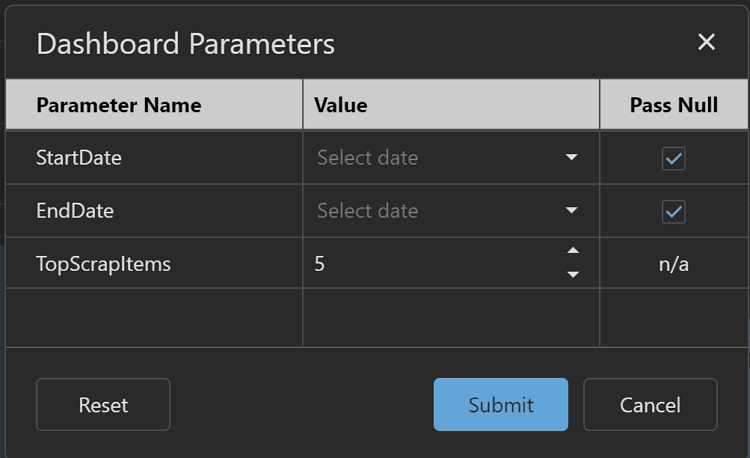
The Top Scrap Items dashboard has the following global filter parameters that can be set to open or close the range beyond what is initially set at load time.
-
Start Date: The start date for the date range. Default is the previous 6 days.
-
End Date: The end date for the date range. Default is the current day.
-
Top Scrap Items: This sets the count of the top scrap part numbers to view in the report. The default is 5 items.
Note: Manufacturing Hub must be fully configured in Prophecy before this dashboard will display any data.
Top Scrap Items
Global Parameters