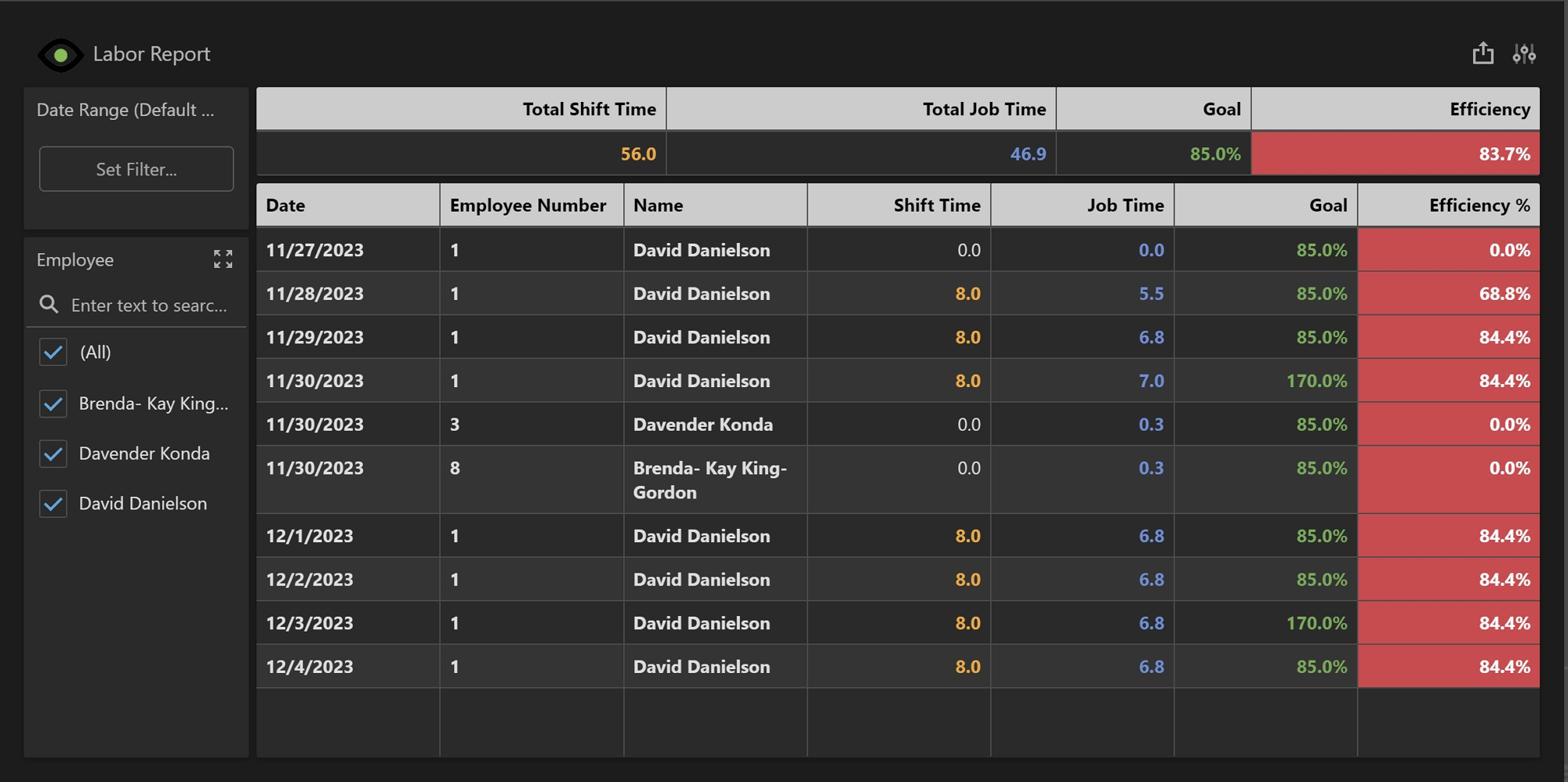
The Labor Report displays data related to labor captured over the last 31 days in Shop Floor Pro. This report can be filtered by date and by the employee. The efficiency goal for this report is defaulted at 80% but can be changed by following the instructions here.
Note: Shop Floor Pro must be fully configured in Prophecy before this report will display any data.
Summary Grid
The Summary Grid displays totals based on the information in the Main Grid and will automatically update based on filter criteria.
-
Total Shift Time: The sum of all shift time in hours in the Main Grid.
-
Total Job Time: The sum of all total job time in hours in the Main Grid.
-
Goal: The goal set for efficiency.
-
Efficiency: The average of the Efficiency% from the Main Grid. This contains a conditional format. If the Efficiency% is greater than or equal to the Goal, the background will display in green, if less than the Goal, this will display in red. Reference Conditional Formatting to adjust or change these values.
Main Grid
The Main Grid displays a summary of all labor events by day and employee. All times are aggregated per day.
-
Date: The date the data is aggregated for.
-
Employee Number: The employee assigned number from the ERP system.
-
Name: The first and last name of the employee.
-
Shift Time: The total time an employee was on a shift for the day. Break time is excluded from this value.
-
Job Time: The total time an employee spent actively working on jobs for the day.
-
Goal: The goal set for efficiency.
-
Efficiency%: The Job Time divided by the Shift Time. If the Efficiency% is greater than or equal to the Goal, the background will display in green, if less than the Goal, this will display in red. Reference Conditional Formatting to adjust or change these values.