The Import/Export page allows admin users to bulk import and export Prophecy 'entities' from a JSON text file.
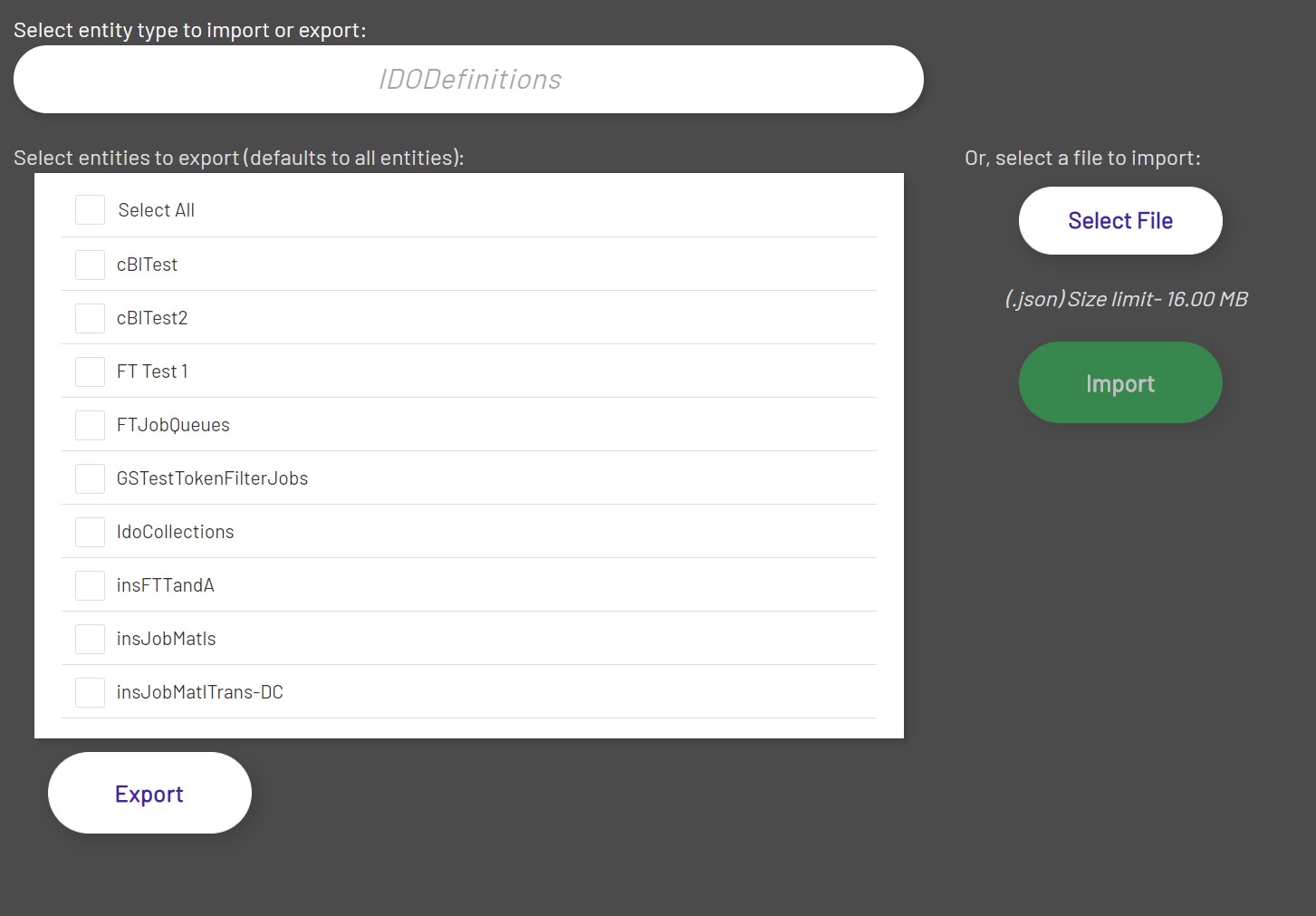
Entities are objects in Prophecy that represent a physical asset (such as a machine), a logical grouping, or a specific object that represents a functional area in Prophecy (such as a dashboard). This latter category is what can be imported or exported in Prophecy.
The format of the JSON files are represented in the samples below. An easy way to get the correct format of the file you want to import is to first export an Entity of the type you would like, and change the properties in the JSON document from there.
An exported entity can be imported on another Prophecy site, or even imported back into the same site, provided that the Entity is given a new name or if the entities exported have been deleted from Prophecy before the import. It is important to rename aggregations before re-importing them to a system that had them before. Prophecy does not remove old aggregation data when an aggregation is deleted, so names cannot be reused.
- NOTE: Entity names cannot contain the characters ., #, &, or +
Under the hood, Prophecy resolves everything by a unique identifier for that Entity, and other entities are referenced by this ID as well. However, since these IDs are meant to be unique, they are not exported or imported. Instead, all Entities resolve by their name.
Some Entities depend on other Entities to function properly. For example, if a diagram contains certain tags, then those tags must also already exist (or be imported) for it to function properly. Likewise, a Dashboard uses at least one Dashboard Connection in order for it to function.
Note that all properties don't have to be specified for an import. In the case of blank strings (i.e., "propertyName": "") and other defaults, you can leave the property out and reduce the size of the import file, in some cases.
Here are example JSON documents for each entity type:
- Aggregations : Aggregations.json
- DashboardConnections : DashboardConnections.json
- Dashboards : Dashboards.json
- DataPoints : DataPoints.json
- DataTypes : DataTypes.json
- Diagrams : Diagrams.json
- IDODefinitions : IDODefinitions.json
- Scripts : Scripts.json
- MachineTags : MachineTags.json
- StorageTags : StorageTags.json
- CaclulationTags : CaclulationTags.json
- DatabaseTags : DatabaseTags.json
- ErpTags : ErpTags.json
- ScriptTags : ScriptTags.json
- Diagram Themes : DiagramTheme.json