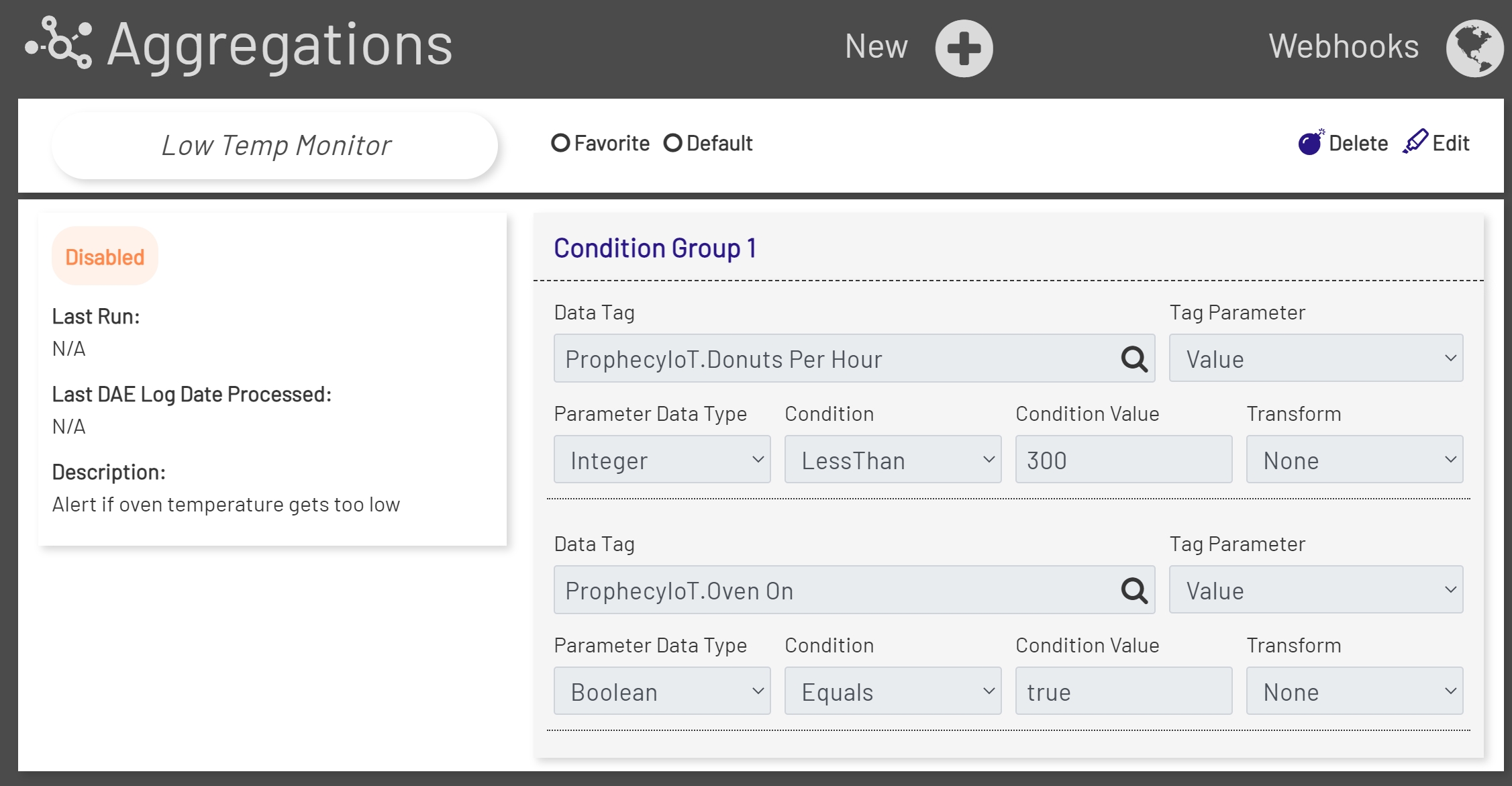
The aggregations editor is reached by clicking on the Aggregations option in the top nav bar. If you have an existing aggregation you'd like to edit, you can choose it from the dropdown menu at the top and it will be displayed in a 'read-only' view:
Note that the current user must be in the aggregation role and have the right permissions to be able to work on aggregations.
Creating a new Rule
To create a new rule, use the 'New' button that displays at the top of the page. Configuring a new rule is fairly complex, so there is a separate page to explain all the options.
Editing a Rule
To edit an existing rule, choose it from the dropdown on the main aggregations page, then click the 'Edit' link to the right.
Be aware that when an aggregation is edited, if anything other than description is changed, a new version of that rule will be created in the Prophecy IoT database, along with a new set of logging rules in the Data Acquisition Engine and a new aggregation data table. If there is a Dashboard wired up to the aggregation data for this rule, it will need to be updated to look at the new aggregation data table instead.
Deleting a Rule
To delete an existing rule, choose it from the dropdown on the main aggregations page, then click the 'Delete' link to the right.
Note that when a rule is deleted, the logging table and aggregation data table created for it are not deleted, so no data is lost. If there was a Dashboard wired up to the aggregation data for this rule it will still display, but it will stop updating as there will no longer be new data coming in.
Selecting a Tag
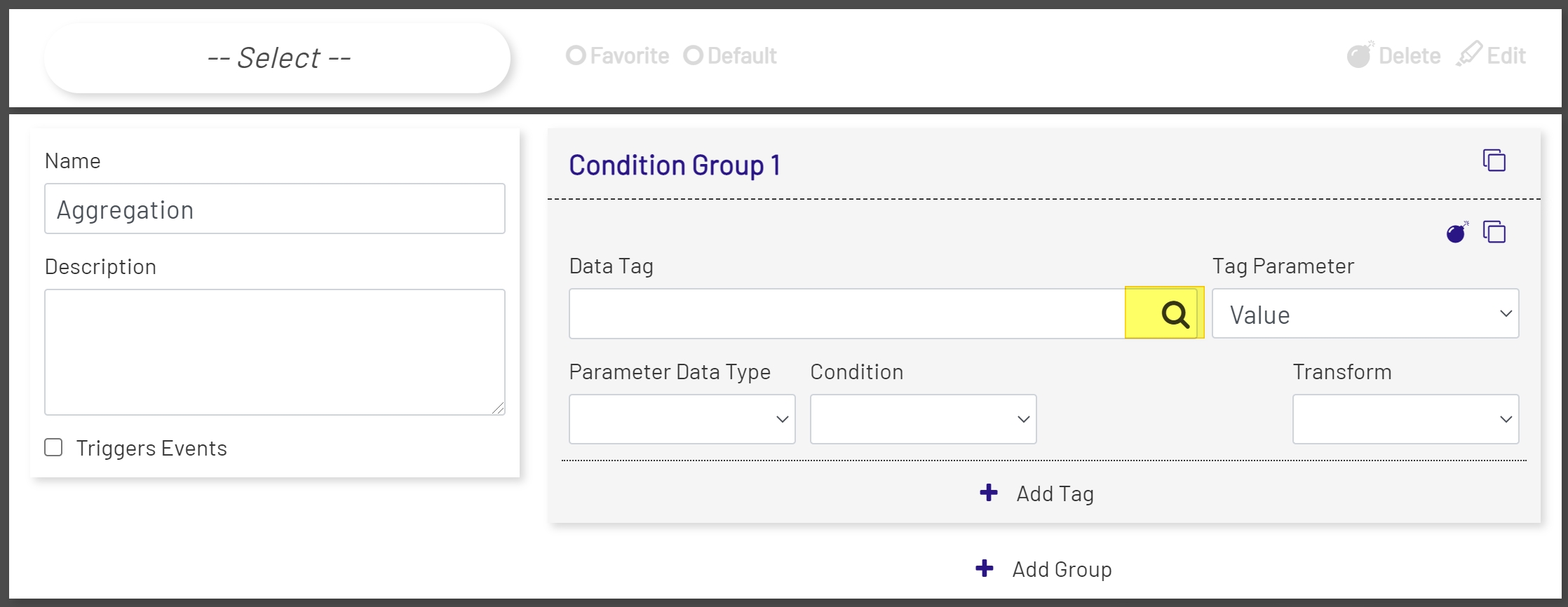
To select a Tag for an Aggregation, click the Magnifying Glass icon on the right-hand side of the Data Tag field.
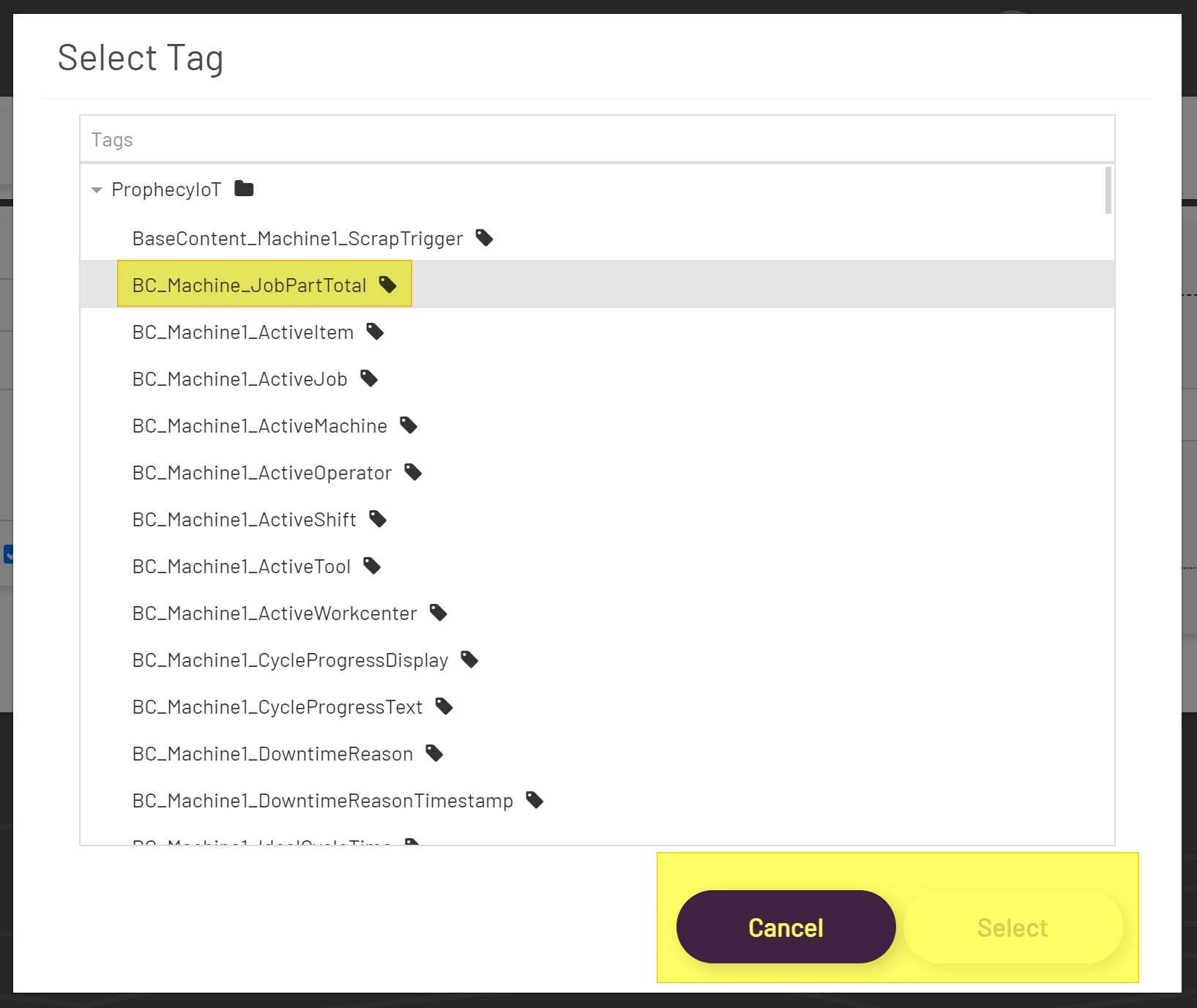
Clicking the Magnifying Glass icon will open the Tag Tree Modal Window. In the Tag Tree Modal Window, to select a Tag, click on the Tag. Clicking the Tag will highlight the Tag to show that it has been selected. Once the selection has been made, click the Save Button the to select the Tag. Or click the Cancel Button to cancel the selection process.