It’s important to distinguish these two terms, and how they will be managed in Prophecy.
Authentication
"I am who I say I am"
Prophecy utilizing a Single Sign-On service for authenticating everything - every user that logs in, as well as any processes that access any APIs in Prophecy. This provides the benefit of managing users and API configuration in one place, and opens the door for adding services and even new applications to the Prophecy ecosystem.
The Single Sign-On (SSO) service provides:
-
user (and device) authentication
-
provides the high-level roles that generally describe what a user or device can do
-
user registration services as well as email verification
-
password reset capability (via email) for users
-
device-based login support – when a user is configured to be a device-type login, the session expiration will be indefinite (the customer will be responsible for securing this account with only the roles and permissions that device needs)
-
user profile editing
The roles that are assigned to each login get returned from the SSO service, so these can be used for other services as well as a form of high-level access control.
Authorization
"Now that I’m authenticated, tell me what resources I can access"
Now that the user is authenticated via the SSO service, an Admin in Prophecy can assign user permissions and roles for that user.
Authorization can be complicated due to different customer needs and possible configurations. Since Prophecy contains an asset-management system in the form of Enterprise Explorer, each of these "assets" must have access control to them. However, this can be as granular or as wide-ranging as the admins desire.
So in addition to roles, there are also Enterprise Explorer permissions. A user must have the corresponding role and permissions set in Enterprise Explorer to perform different functions with a given area in Prophecy.
API Access
For those wishing to programmatically connect to Prophecy, authorization is done through contacting the Prophecy Authorization service (i.e., the Single Sign-On service) directly. See accessing APIs for more information.
The Admin Account
The default (and only) account set up in Prophecy on installation is the user Admin with the password Pr0phecy!. Use this account exclusively if your company desires to only have one administrator; but other user accounts can be set up with the Admin role as well. However, it is highly suggested that you change the default password right away after first login.
Navigating the Authorization Service (SSO Service)
When a user accesses the Prophecy site, they will automatically be redirected to the SSO service's login page:
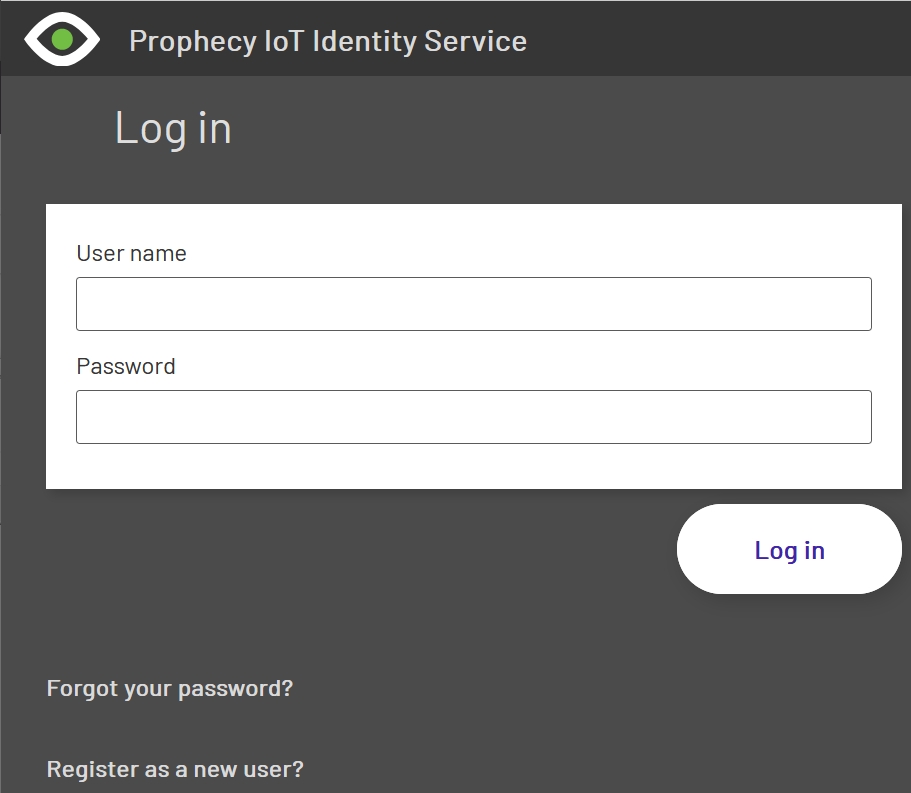
If the user has never logged into Prophecy before, they will need to use the Register as a new user? link, which will give them this form:
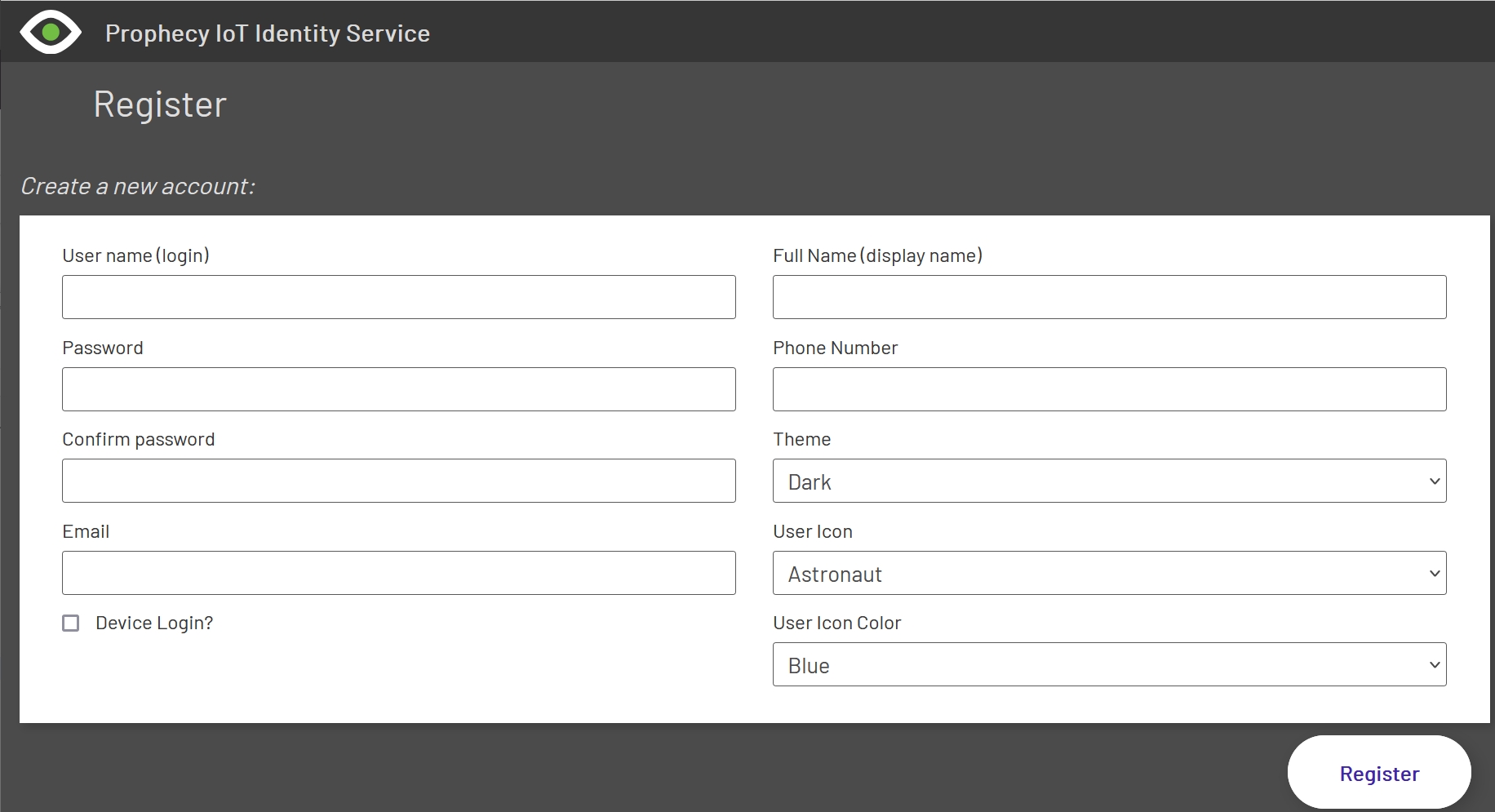
They simply fill out the form as described. The only field here that is atypical of most websites is the Device Login? checkbox. Checking this box will set up this login as a "device" login - which works exactly the same way as a normal user login, except that the timeout for the session is indefinite. So this can be used for a device-specific login, such as an HMI that is physically located next to a machine. Only the machine operators should have this login - or even, perhaps, a shop floor manager.
Important: please use these types of logins sparingly - only for HMI logins and for Andon displays that aren't easy to access via keyboard - and limit the permissions for such accounts to only apply to the device for that account (single purpose). It is potentially dangerous to leave sessions open if any sensitive data could be displayed or manipulated via the login.
After a successful login, the user should be automatically redirected back to Prophecy, and it will show their Display Name in the user menu drop-down in the top-bar navigation.
The Forgot your password? link will send the user an email with password reset instructions, in a secure way.
If a redirect back to Prophecy didn't happen for some reason, the user can simply click the Prophecy IoT link on the Welcome page:
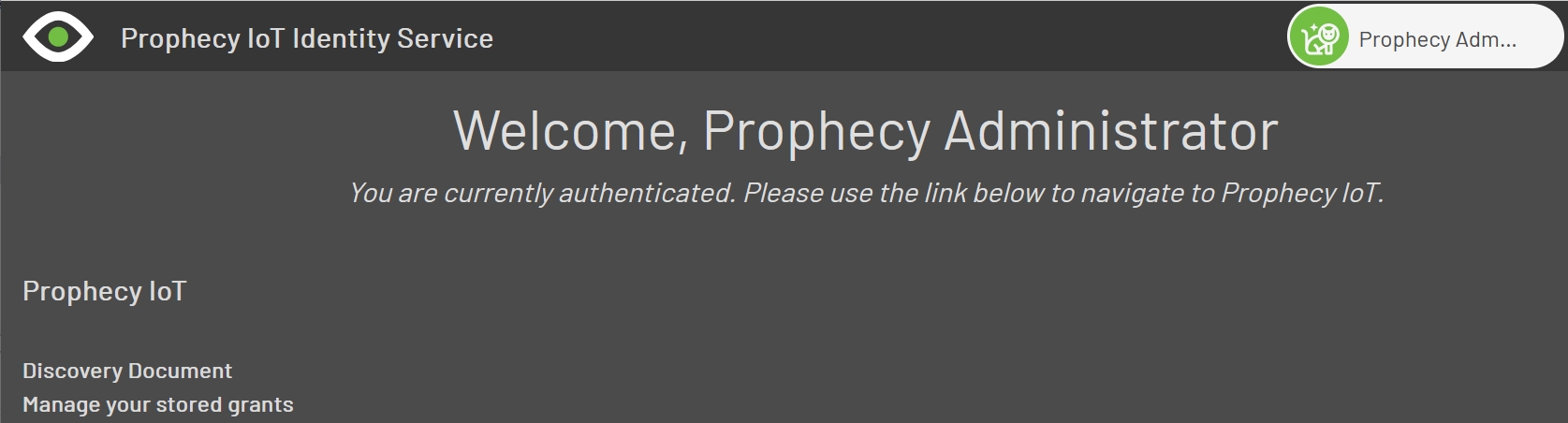
The user menu drop-down contains a Logout command, but the user can Logout from Prophecy as well.
The next two links are more technical. Since the Prophecy SSO Server uses industry standard OpenId, a discovery document is available for connecting services to interrogate and see what's available. No secrets are revealed on this page.
The next link shows what "grants" the user has been given - i.e., what resources they can now access. Normally, the Prophecy Portal Client should be the only thing in the list.