Managing permissions in Prophecy is very important. For example: since you can write simple HMIs via Diagrams, they can be potentially dangerous if they cause a machine to start or stop. So if everyone has access to the diagram, it can be run from anywhere. Therefore, only approved logins should have access to it, and a smaller sub-set of that (potentially) should be able to create or change the diagram.
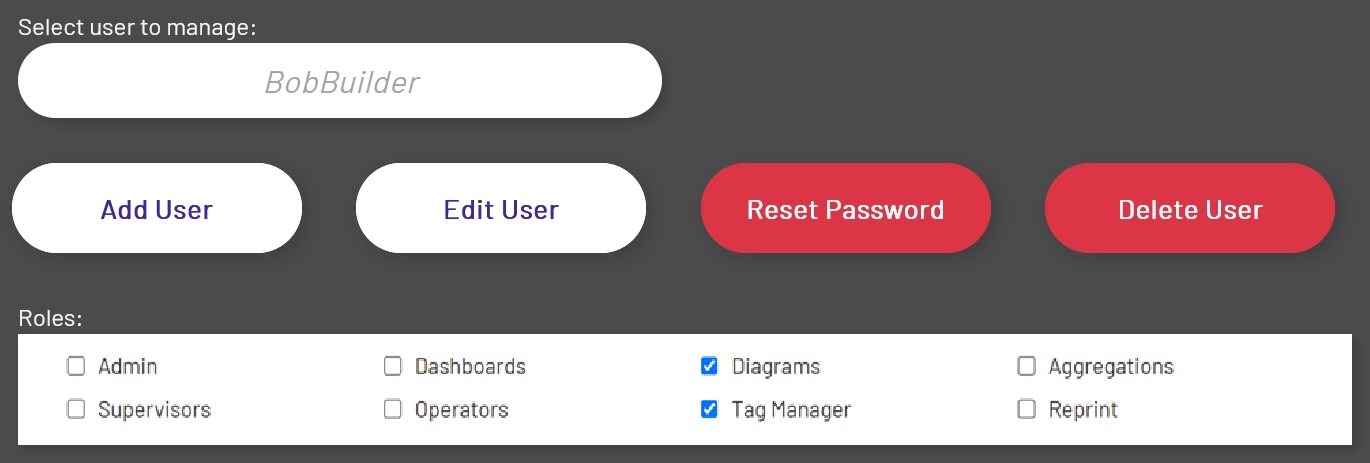
To assign permissions for a user, the admin uses the same form that is used for roles:
Each entity the admin assigns a permission to (any permission) in the Enterprise Explorer tree will automatically propagate down the tree to all children, until there is a child with any permissions assigned to it - and at that point, itself and all of its children will have those permissions.
For example, using the above screenshot, the admin can set three of the permissions (View, Edit, and Create) at the very top level of the tree, which is always going to be the Corporation entity. The user will have those three permissions all the way down the tree, except under 'Factory Floor', where he also can do deletes. If it's desired to only use Roles to manage what users can have access to, and the admin trusts everyone in your company in those Roles, then they could just leave it this way. Any new entities will automatically pick up the permissions from the parent above it.
But let's say that the admin wants a bit more granular control. In this case, they could set View at the very top level, and anyone with the right role can view and use those objects. But then, the admin would like the user to be able to create new (and edit existing) objects in the "Factory Floor" area of the Bakery:
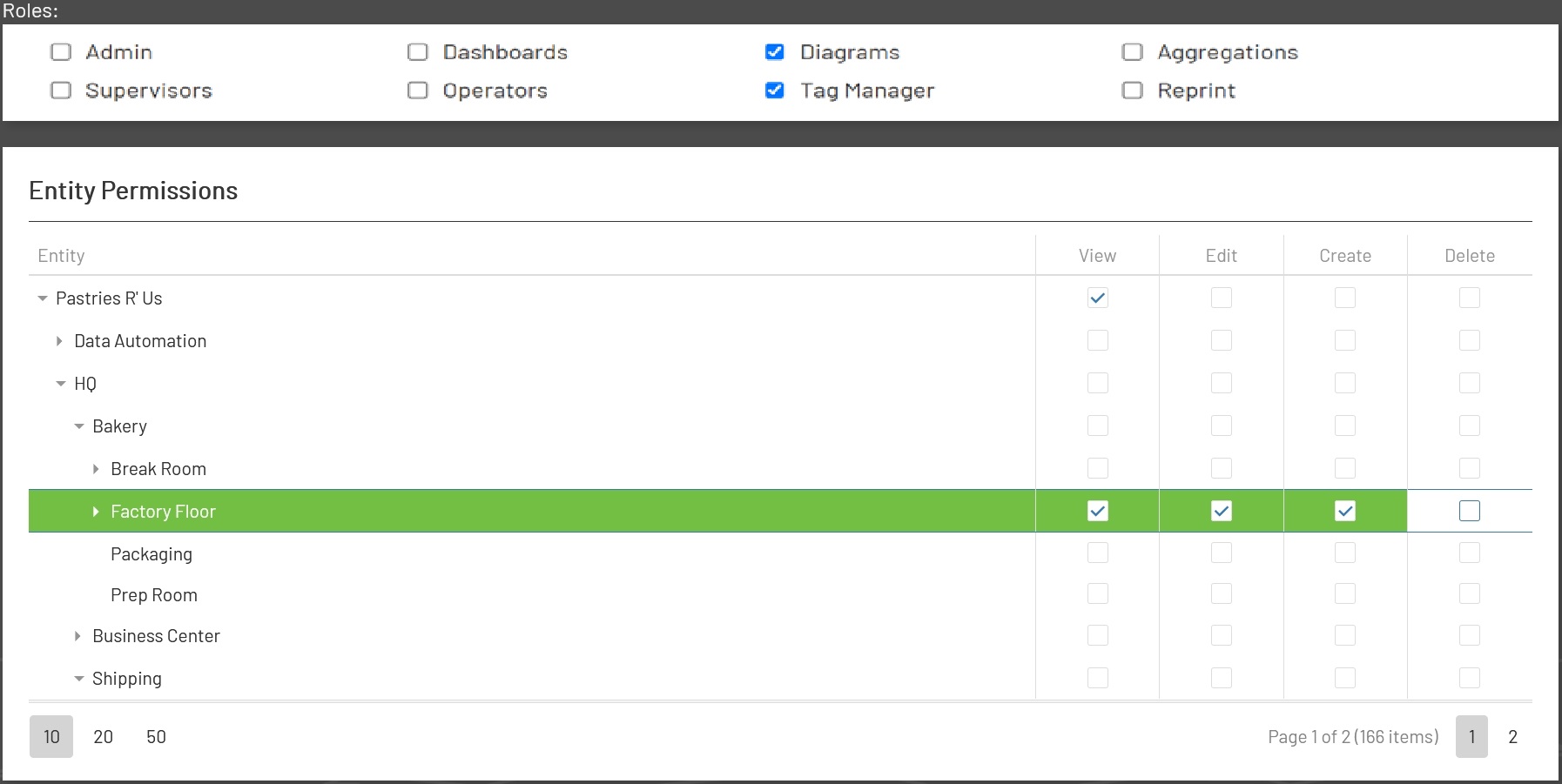
Now the user has the ability to create and edit entities under the "Factory Floor" entity and all sub-entities as well (as well as create links). Everything outside of the 'Factory Floor' group entity structure will still have the View only permission from the above.
The admin has the ability to set many permissions at once and save them, even if they are on different pages in the Entity Permission tree.
Entity Operations
There are several options for managing entities in the Enterprise Explorer tree, listed below. This table tells the admin which permissions are needed for which operation. For example, you can't assign Create permissions to an entity that doesn't exist yet! Therefore Create permissions should be assigned to the containing group, allowing children to be created underneath of it.
| Operation | View | Create | Edit | Delete |
|---|---|---|---|---|
| View/Use | Y | |||
| New | Y (Parent) | |||
| Edit | Y | Y | ||
| Delete | Y | Y | ||
| Duplicate | Y | Y (Destination Parent) | ||
| Move | Y | Y (Destination Parent) | Y | |
| Link | Y | Y (Destination Parent) | Y |
A user should only be to create a link under a parent they have Create permissions for - or else they could be exposing something to other users that the admin doesn't want exposed. For example, an HMI may be dangerous and only allowed to be accessed by a few users (operators of the machine). But that doesn't mean the operator can move or link it just anywhere, because a user with View permissions on the parent can now see it, and do dangerous things. They should also not be allowed to link or move if they only have View permissions on the entity - because that's how the admin can control that.
Data Automation Groups
There are also special Group folders for the "Data Automation" objects:
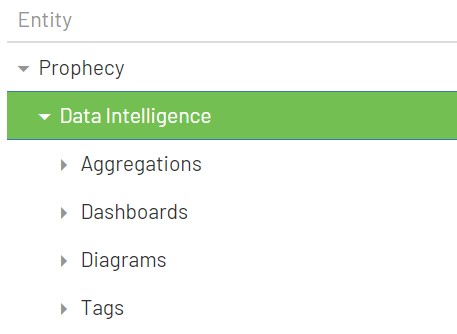
These groups define where new entities have to be created for the following types: Aggregations, Diagrams, Dashboards, and Tags. This is because, if a company doesn't wish to utilize Enterprise Explorer to its full extent (say they have no desire to have an asset management system in Prophecy) then there has to be a place to put the new items from the main screens. So in order for someone to create a new Dashboard, for example, they will need Create permissions on the Dashboards Data Automation Group - or it will need to inherit that permission from one of its ancestors.
These groups cannot be moved or renamed.
Entity Links
Entities that are created can be copied to different areas of the tree, if the user has permissions to do so. But if you wish to maintain all of the properties for an entity in one place, then links are the thing to use.
Links can be created from "Regular" entities. There is only one real difference between Links and Regular entities - that the permissions can be different for both, if desired. This is by design. In this way, a user could create a dashboard (for example) that is useful in a few logical areas, such as shop areas (to be displayed on a large overhead monitor in each, perhaps). By using links, you only have to maintain one dashboard, but the permissions can be maintained where-ever the links are.
The ability of the admin to allow another user to create links in another area of the tree (other than the Data Automation Groups, above) gives that user the ability to allow themselves and others (who have View permissions in that part of the tree) to use the previously created object in the Data Automation Groups.
For example:
-
Joe logs in and has the
Dashboardrole as well as Create and Edit permissions on the special GroupDashboards. He creates a new Dashboard to be displayed near Machine Line A, so those operators can see the analytics for this line. -
Next, Sally logs in and she also has the
Dashboardrole, but she only has Create access to the Machine Line A group in Enterprise Explorer. Since she hasViewaccess to the original dashboard that Joe created, she can create a link to it in Machine Line A. Now anyone with theDashboardrole andViewaccess to Machine Line A can view the dashboard and its analytics.